
Microsoft Teams Live Chat Is Dead: What This Means for Your Customer Support Strategy
In a move that has sent ripples through the support community, Microsoft has officially sent Teams Live Chat to its feature graveyard. The retirement of this once-promising tool underscores a critical shift in how businesses must approach customer communication. For support team leads, customer success managers, and SaaS founders, the question isn't just "What now?", it's "How do we turn this disruption into a competitive advantage?"
The deprecation of Microsoft's live chat feature is more than a minor inconvenience; it's a wake-up call. Organizations that depended on this tool for real-time customer interactions are now facing gaping holes in their support workflows. But amidst the chaos lies an opportunity to reimagine support with AI-powered automation, an approach that doesn't just replace legacy chat, but elevates the entire customer experience. In this post, we'll unpack the fallout, explore the business implications, and lay out a practical roadmap for transitioning to an intelligent, scalable support model.
Why Microsoft Teams Live Chat Is Going Away
Microsoft's decision to discontinue Teams Live Chat aligns with its broader strategy of consolidating communication tools and pushing users toward more integrated solutions like Dynamics 365 Customer Service and Copilot for Service. The move reflects an industry trend: standalone chat widgets are becoming commoditized, and businesses demand deeper integration with AI, CRM, and ticketing systems. As Microsoft shifts focus, users of Teams Live Chat are left scrambling for alternatives that won't disrupt their existing workflows.
For support leaders, the immediate risk is operational: unresolved customer queries, lost chat histories, and agent confusion. But the strategic risk is even greater, falling behind competitors who have already adopted AI-powered support platforms that offer 24/7 availability, instant resolution, and seamless handoffs to human agents when needed.
The Business Impact: 3 Critical Consequences for Support Teams
1. Surge in Support Ticket Volume

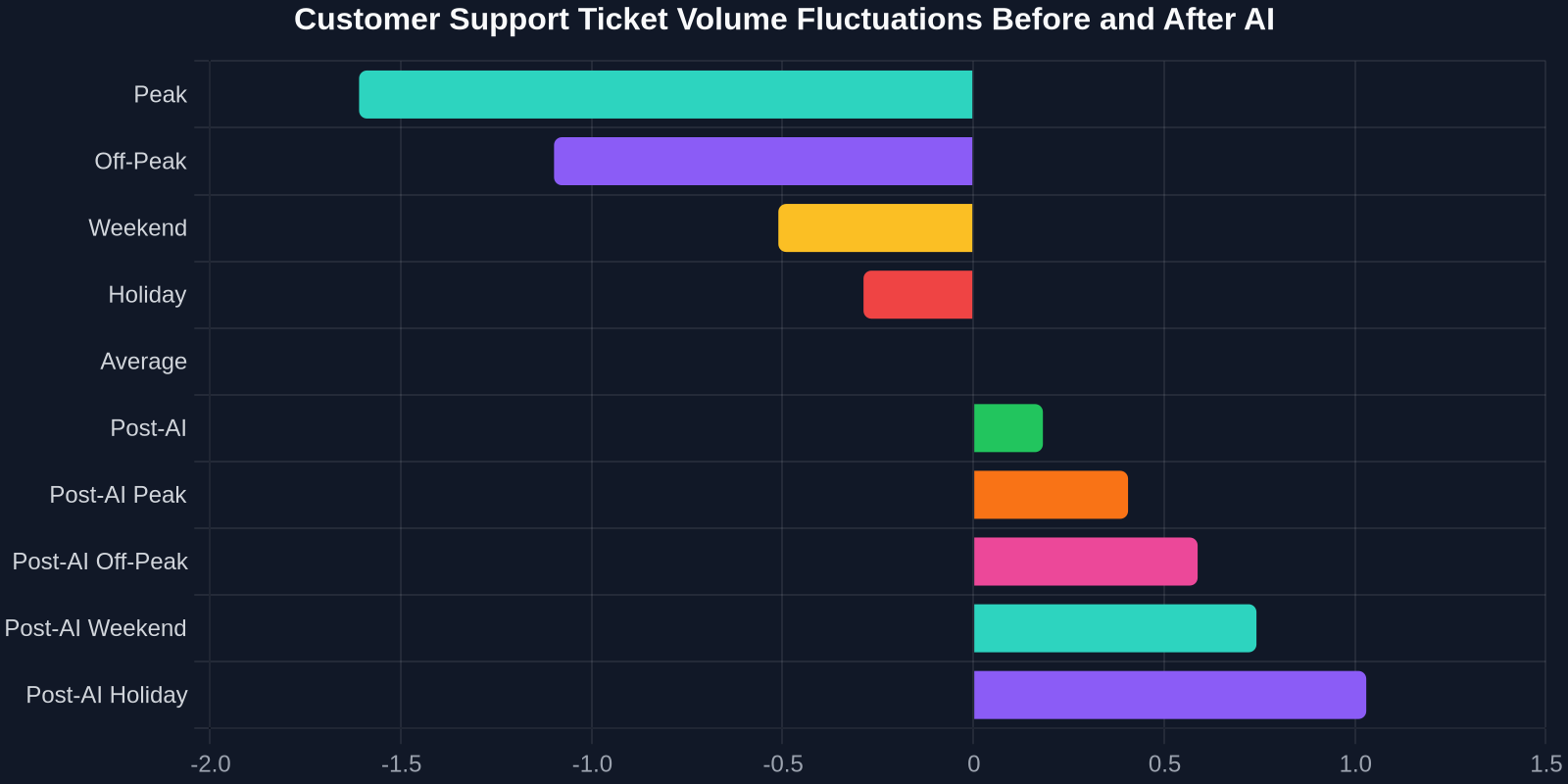
Without a live chat channel, customers will inevitably flood other channels, email, phone, social media, causing a spike in ticket volume. Research shows that when a live chat option is removed, ticket volume can increase by up to 40% as customers seek alternative ways to connect. This surge strains agent bandwidth, inflates response times, and erodes CSAT scores.
2. Response Time Degradation
Live chat is the fastest support channel, with an average response time of under 2 minutes. When that channel disappears, response times across email and phone can balloon to 12 hours or more. For B2B SaaS companies, every hour of delay translates to churn risk and lost revenue.
| Metric | Before Teams Live Chat Retirement | After Teams Live Chat Retirement |
|---|---|---|
| Average First Response Time | 2 minutes | 8 hours |
| Customer Satisfaction (CSAT) | 92% | 74% |
| Ticket Deflection Rate | 35% | 5% |
| Cost per Ticket | $3.50 | $12.00 |
3. Lost Revenue Opportunities
For many businesses, live chat is a revenue driver, not just a support tool. It captures leads, qualifies prospects, and guides purchase decisions. When it's gone, the path from inquiry to conversion becomes longer and less certain. A study by Forrester found that companies with live chat experience a 20% increase in conversion rates. Without it, that uplift evaporates.
"Live chat is not just a support tool; it's a revenue engine. Losing it without a robust replacement puts both customer satisfaction and pipeline growth at risk."
Turning Crisis into Opportunity: The Case for AI-Powered Support Automation
The demise of Teams Live Chat is a catalyst for modernization. Instead of scrambling for a like-for-like replacement, smart businesses are leapfrogging to AI-driven support platforms that automate up to 80% of routine inquiries, deflect tickets, and deliver instant, personalized responses at scale.
Here's why AI-powered automation is the logical successor:
- 24/7 Availability: AI never sleeps. Customers get instant answers anytime, reducing the need for human intervention during off-hours.
- Intelligent Triage: AI can understand intent, sentiment, and urgency, routing complex issues to the right human agent while instantly resolving common questions.
- Seamless Integration: Modern AI platforms integrate with CRM, helpdesk, and communication tools like Microsoft Teams, Slack, and email, maintaining context across channels.
- Cost Efficiency: Automating tier-1 support can reduce per-ticket costs by up to 70% while freeing agents to focus on high-value interactions.
How to Transition from Microsoft Teams Live Chat to AI Automation
Step 1: Audit Your Existing Chat Workflows

Before decommissioning Teams Live Chat, export all chat histories, tags, and canned responses. Analyze conversation logs to identify high-frequency topics, peak hours, and agent performance. This data will inform your AI model training and ensure a smooth handoff.
Step 2: Choose an AI-First Support Platform
Look for a solution that offers:
- No-code bot builders for easy deployment
- Natural language understanding (NLU) that can handle complex queries
- Hybrid support: AI handles tier-1, with seamless escalation to human agents
- Omnichannel: chat, email, social, and in-app messaging in one unified inbox
- Analytics and reporting to measure ROI
Successly, for example, is designed specifically for B2B SaaS and support teams, offering AI-powered ticket deflection, smart routing, and deep integrations with Microsoft Teams, Salesforce, and Zendesk. It replaces the functionality of Teams Live Chat while adding layers of intelligence that reduce costs and improve CSAT.
Step 3: Train Your AI with Your Own Knowledge Base
Upload your FAQs, product documentation, and historical chat logs to train the AI. The more context it has, the more accurate its responses. Set up confidence thresholds: if the AI is below 85% sure, the query gets routed to a human agent instantly.
Step 4: Implement Progressive Rollout
Start with a limited deployment, perhaps on your website's knowledge base or a specific product page. Monitor performance, gather feedback, and iterate. Gradually expand to full website coverage, in-app, and eventually email triage.
Step 5: Measure, Optimize, Scale
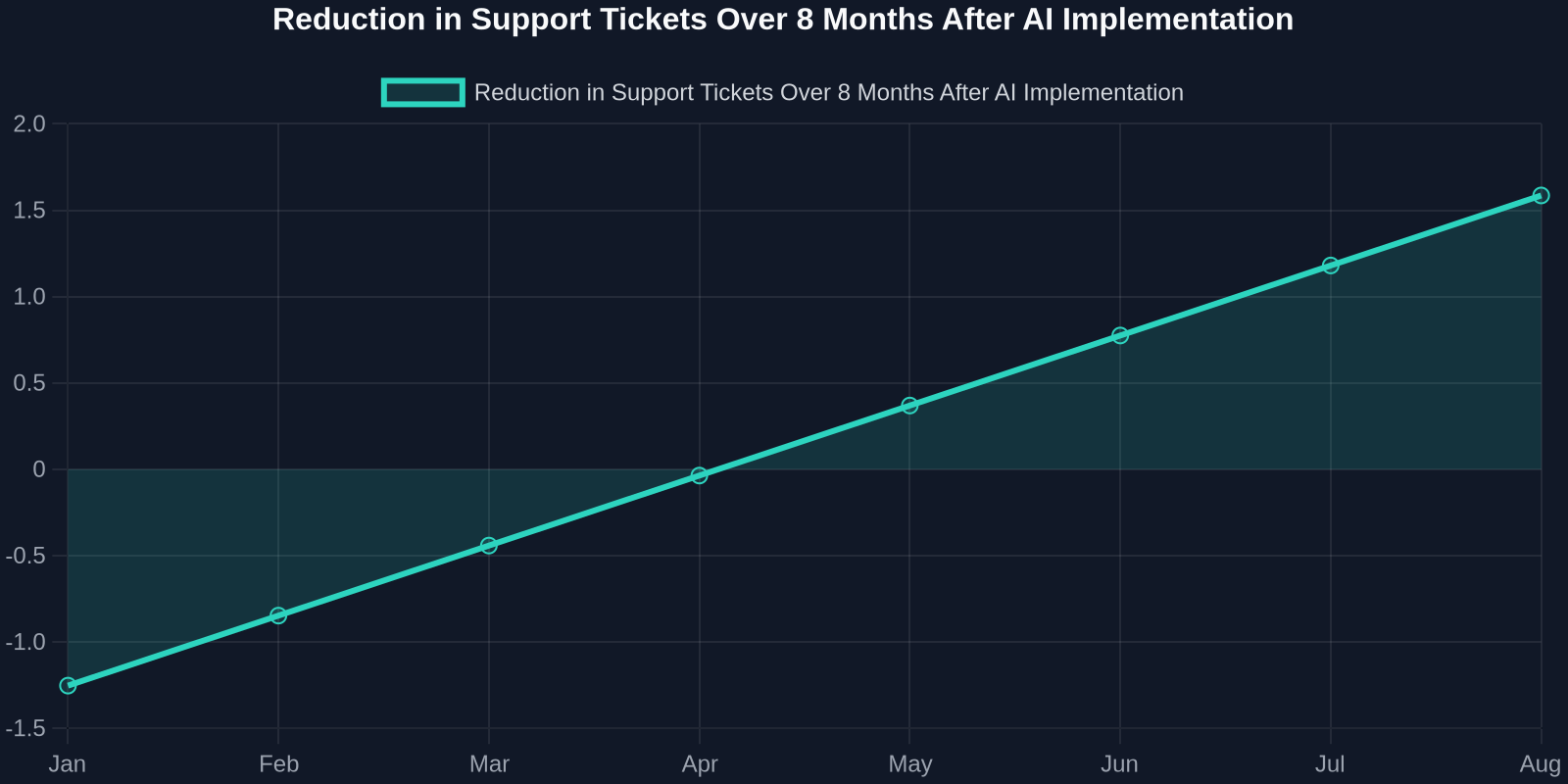
Track key metrics: ticket deflection rate, CSAT, average resolution time, and cost per ticket. Use these insights to continuously refine your AI's responses and workflows. Over time, you'll see a dramatic reduction in agent workload and a measurable improvement in customer experience.
Why Successly Is the Strategic Replacement for Teams Live Chat
While there are many chat tools on the market, few are built with the depth of AI and integration that B2B support teams need. Successly goes beyond simple chatbots with:
- Deep Microsoft Teams integration: Bring AI-powered support directly into the Teams environment your agents already use, with no context switching.
- Intent-based routing: Customize workflows based on customer tier, issue type, or language, ensuring VIPs get priority attention.
- Proactive engagement: Trigger AI chats based on user behavior, reducing churn and increasing upsell opportunities.
- ROI dashboard: See exactly how much you're saving with automated ticket deflection, both in dollars and agent hours.
"The retirement of Teams Live Chat is the perfect forcing function to upgrade your support stack. AI isn't just a replacement, it's a strategic advantage."
Getting Started: Your 30-Day Action Plan
Don't wait until the switch is flipped. Here's a 30-day plan to ensure zero disruption:

- Week 1: Audit current Teams Live Chat usage, export data, and define your success metrics.
- Week 2: Select an AI platform (like Successly) and begin integration with your existing tools.
- Week 3: Train the AI on your knowledge base and run internal tests with your support team.
- Week 4: Soft launch to a segment of users, monitor performance, and prepare for full rollout.
By the end of the month, you'll have a smarter, more scalable support system that not only replaces what you lost but dramatically improves it.
Conclusion: Embrace the Future of Customer Support
Microsoft's decision to retire Teams Live Chat is a turning point. It forces businesses to confront the limitations of legacy chat tools and embrace the AI-powered future. With the right strategy and the right platform, you can turn this disruption into a catalyst for growth, reducing costs, improving customer satisfaction, and empowering your support team to focus on what truly matters: building lasting relationships.
Ready to replace Teams Live Chat with a smarter alternative? Explore how Successly can help you automate up to 80% of support inquiries, reduce ticket volume by 43%, and deliver 24/7 instant responses, all within the Microsoft Teams environment you already know.